

Find an earlier conversation
Who can do this: everyone in the workspace. The lists hold every conversation of the workspace, whoever started it.
Steps
-
Open Chat and point at History in the top bar. The newest conversations open in a list beside it. Select History to keep the list open.
-
In Filter loaded conversations…, type a word from a title or a name.
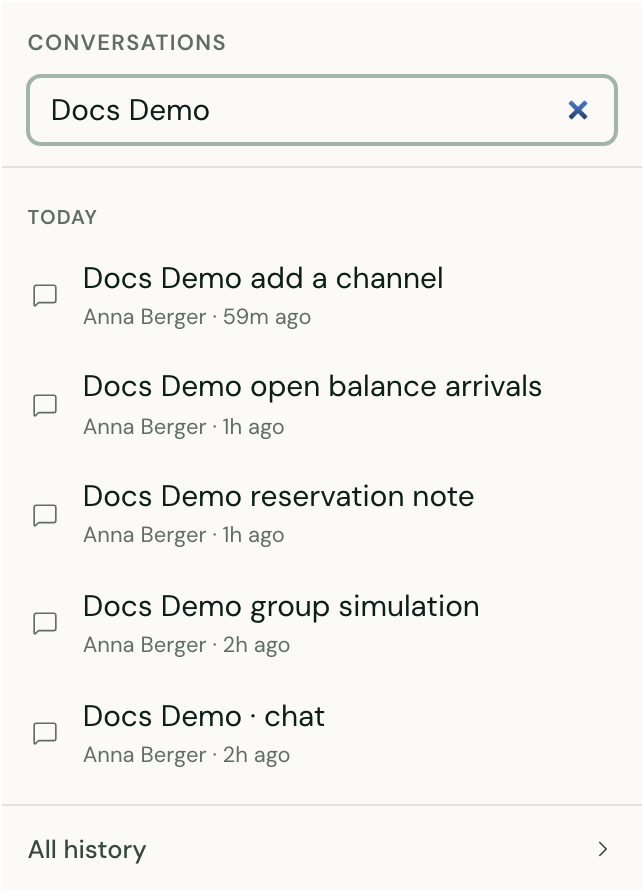
The list under History, filtered to the demo conversations. -
Select a conversation to open it, and write your next message to carry it on.
-
For an older conversation, select All history at the bottom of the list. The History page lists every conversation, 25 to a page, with who started it and when it last changed.
-
On the History page, select Search and type a word from a title or a name.
Good to know
- A dot marks a conversation whose reply is running. The list under History puts these first, under Running now.
- A conversation is named after its first reply, and is called New conversation until then.
- A conversation opened with Edit with AI is named after its subject, such as "Docs Demo · chat".
- On a phone, History opens the History page.
The rules behind this task are in the reference, under History.