

Connect your own MCP server or API
Who can do this: admins. You need the address of the MCP server or the API, and its key or sign-in if it asks for one.
A custom integration brings a system that is not in the catalog into chat, reports and agents. An API needs an OpenAPI document that describes it.
Steps
-
Open Connectors, select Add connector and pick the category Your own Connector.
-
Select Set up on Custom MCP for an MCP server, or on Custom API for a REST API.
-
In Add a custom integration, enter a Name. For an MCP server, enter the MCP server URL. For an API, enter the API base URL and the OpenAPI document URL.
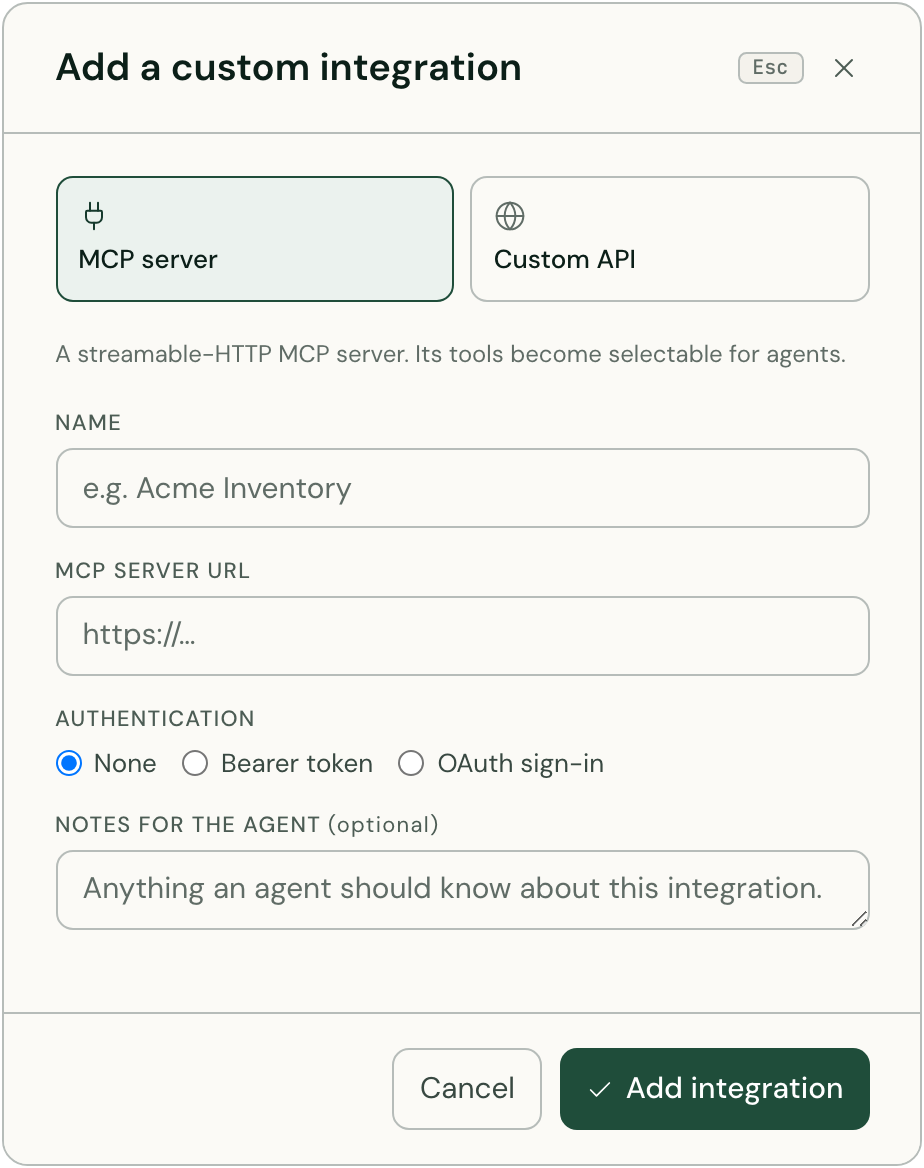
The Add a custom integration dialog for an MCP server. -
Under Authentication, choose how Discontinue signs in. An MCP server takes None, Bearer token or OAuth sign-in. An API takes API key, Username and password, OAuth sign-in or OAuth client credentials.
-
Optional: write Notes for the agent, such as rate limits or ID formats. Agents read them when they use the connection.
-
Select Add integration. With OAuth sign-in, the button says Add and sign in, and the system's sign-in opens next.
-
Without a sign-in, the dialog then lists the tools it found. Tools that only read are ticked and run without asking. Tick any other tool you trust, or untick one. Then select Save or Done.
Good to know
- For an API, use the raw JSON or YAML document, not a Swagger UI page. It is often at
/openapi.json,/swagger.jsonor/v3/api-docs. - The app calls an API's tools operations. They come in areas, one per tag of the document, and agents are granted the API per area.
- You can change every tool's setting later. See Decide what runs without asking.
If something goes wrong
- The dialog shows an error and keeps your entries. Check the address and the key, then select Add integration again.
- A server or API that adds tools later: open its connection and select Refresh.
The rules behind this task are in the reference, under Your own MCP server or API.