

Set up forward rules
Who can do this: everyone in the workspace. Allowing the service needs an admin. You need a service that refuses calls from your site.
Most services, such as a booking engine, answer your site's scripts directly. You need a forward rule only for a service that refuses calls from other websites, which browsers report as a CORS error.
Steps
-
Ask the site editor in a conversation about the site, for example "Our booking service at reservations.example.com refuses calls from the site. Add a forward rule for it." The site editor writes a line like this into the site's
_redirectsfile:/booking-api/* https://reservations.example.com/:splat 200A call to
/booking-api/roomson your site then goes on tohttps://reservations.example.com/rooms. -
An admin allows the service. Open the site's Advanced tab. Under Forwarding, type the host name only, such as
reservations.example.com, and select Add.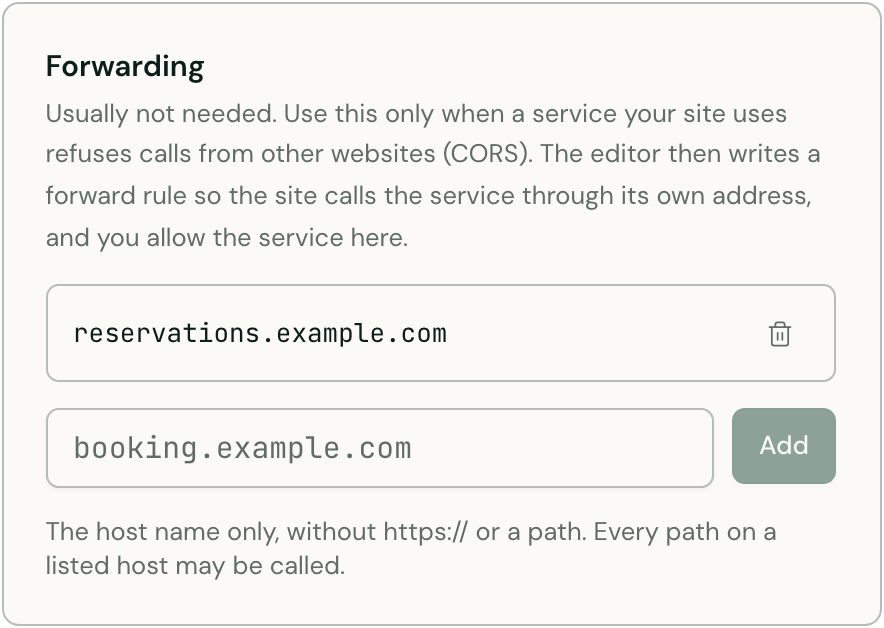
An allowed host under Forwarding, and the field that adds another one. -
Test the rule in the preview. The site editor checks it by reading from the service through the preview. You test a booking or a form yourself.
-
An admin publishes the draft. The publish dialog lists each host the site forwards to and marks a new one "(new)".
If something goes wrong
- The site answers 403 "This site may not call reservations.example.com". The host is not listed under Forwarding yet.
- The site answers 403 for a booking or a form. Data passes only from the site's own pages.
- The site answers 429. One visitor called one rule more than 300 times in a minute.
The rules behind this task are in the reference, under Forward rules.