

Choose who hears from an agent
Who can do this: everyone in the workspace. Only you can turn on Messages for yourself.
Every agent has a Notify list: the people and channels that hear from it. The agent's creator is on it from the start.
Steps
-
On the agent's Agent tab, under Who hears from this agent, select Edit. The Alerts dialog opens.
-
Select Add person or chat and pick a person in the workspace or a channel.
-
On each row, choose what it hears. Select an event to turn it on or off.
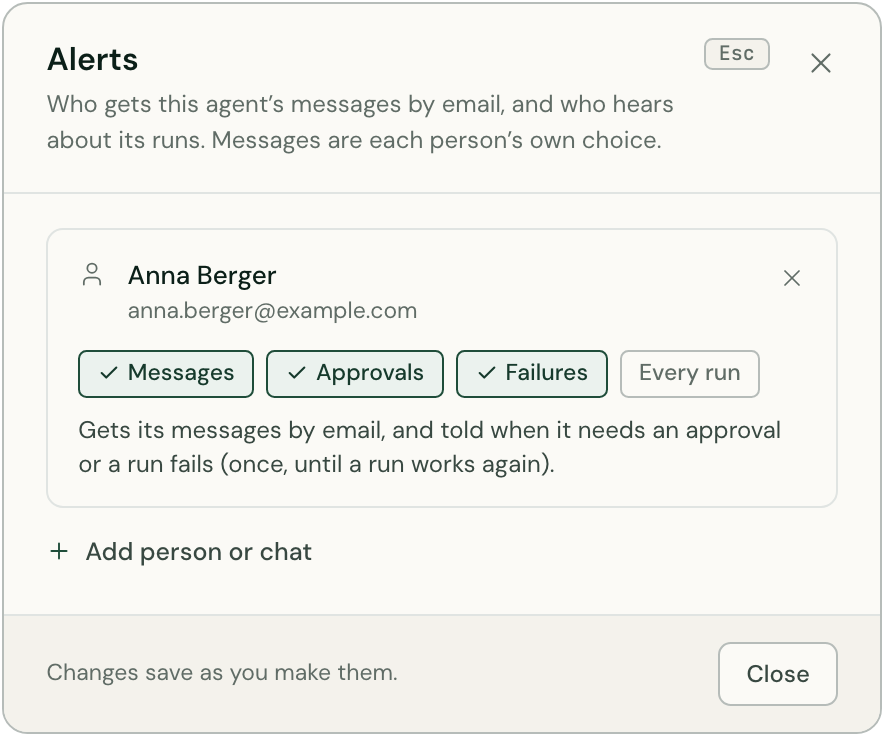
The Alerts dialog, with one person and the events they hear. -
Select Close. Changes save as you make them.
What each event means
- Messages: the agent's own messages, by email. The agent sends them when its instructions say so, such as "email me the list".
- Approvals: an email or channel message when a run asks first.
- Failures: a run failed. It is told once, until a run works again.
- Every run: a short summary after each run.
Good to know
- A new entry hears Approvals and Failures. When you add yourself, Messages is on too. Every run is off until you turn it on.
- A channel cannot get Messages. To send results to a channel, grant it to the agent. See Decide what an agent may use.
- The list is not part of the agent's versions. A change applies at once.
- To take someone off the list, select the × on their row.
If something goes wrong
- Who hears from this agent says "Nobody is told when it needs an approval." Requests then wait in Activity until someone decides or they expire. Add someone who hears Approvals.
The rules behind this task are in the reference, under Who hears from an agent.