

Send to Telegram
Who can do this: everyone in the workspace. An admin connects your Telegram bot under Connectors first.
A Telegram channel sends to one chat through your own Telegram bot. The chat can be a person, a group or a channel in Telegram.
Steps
-
In Telegram, create a bot with @BotFather and
/newbot, and copy its token. -
Under Connectors, an admin selects Connect on the Telegram card and pastes the token under Telegram API key.
-
From the chat that should get the messages, send the bot any message. For a group or a channel in Telegram, add the bot to it.
-
Open Channels, select Telegram, then Add Telegram destination.
-
Type a Name, such as "Night audit".
-
Under Chat, pick the chat. If the form says "No chats yet", select Refresh. Telegram lists a chat for 24 hours after it wrote to the bot. For an older chat, type its id under Chat id.
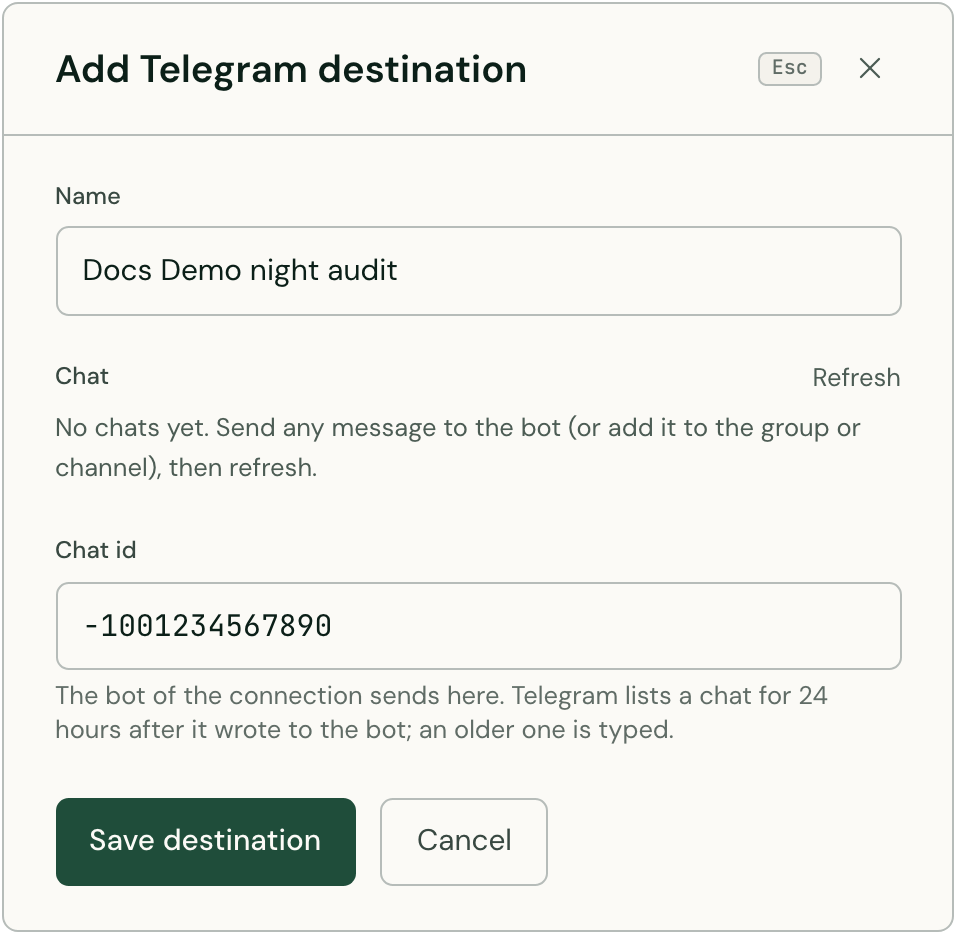
The Telegram form while the bot has heard from no chat yet. -
Select Save destination, then Test on the new row.
Good to know
- With more than one Telegram connection, and whenever you edit a channel, the form asks for the Telegram connection.
- A report arrives as the report file, with the message as its caption.
- The bot's token stays with the connection under Connectors. Channels never show it.
If something goes wrong
- The form says the bot "sends its updates to a webhook", or that "Another program reads this bot's updates". The chats cannot be listed then. Type the chat id.
- A delivery says "Telegram refused the bot token". Replace the token of the Telegram connection under Connectors.
- A delivery to one chat fails while others work. The chat may have blocked the bot or no longer exist. The delivery history shows Telegram's answer.
The rules behind this task are in the reference, under Telegram.